ring_layout: Flutter Circular Layout Implementation
Definition of Circular Layout
Given a circle A and several circles a, where all circles a intersect with circle A, all centers of circles a lie on circle A, and the center-to-center distances between adjacent circles a are equal.
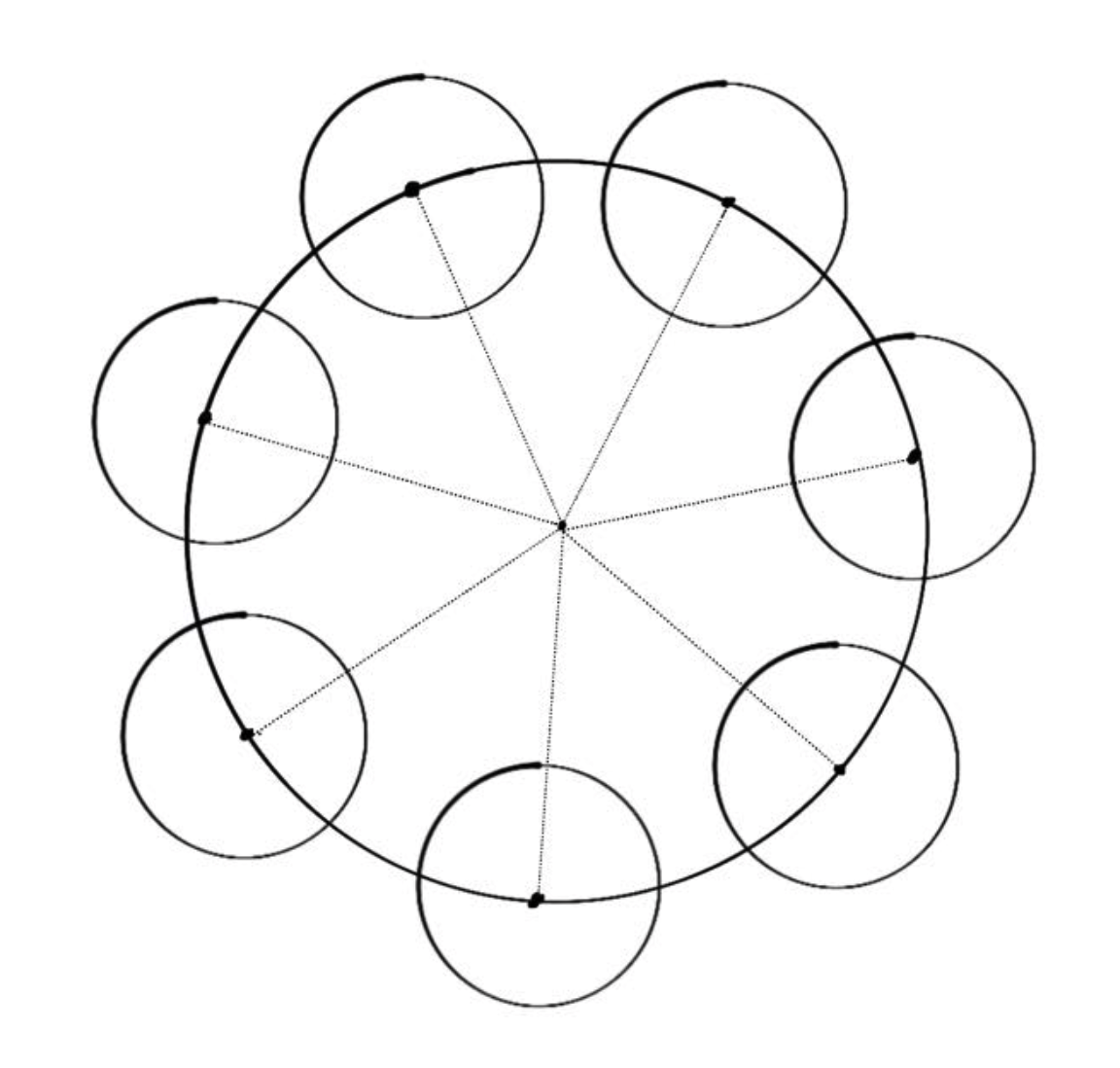
A circular layout must satisfy two properties:
- The distance from each child widget’s center to the container’s center remains constant.
- The spacing between adjacent child widget centers remains constant.
Based on these properties, we can calculate the position of circle a relative to circle A using mathematical formulas — this is the key information for implementing circular layout.
The definition above doesn’t mention the radius relationship of circles a. In practice, the radii of circles a can differ. Treating circle a as the circumscribed circle of a child element, in complex production environments, child elements’ circumscribed circle radii often vary. So we also need to determine the maximum radius of circle a.
Calculating Child Element Positions
Mathematical Derivation
To determine circle a’s position relative to circle A, we first need to calculate the offset of center a relative to center A.
Let center A have coordinates ( (x_0, y_0) ), radius ( r ), center a have coordinates ( (x_1, y_1) ), and the angle between the line connecting centers A and a and the horizontal axis be ( \theta ).
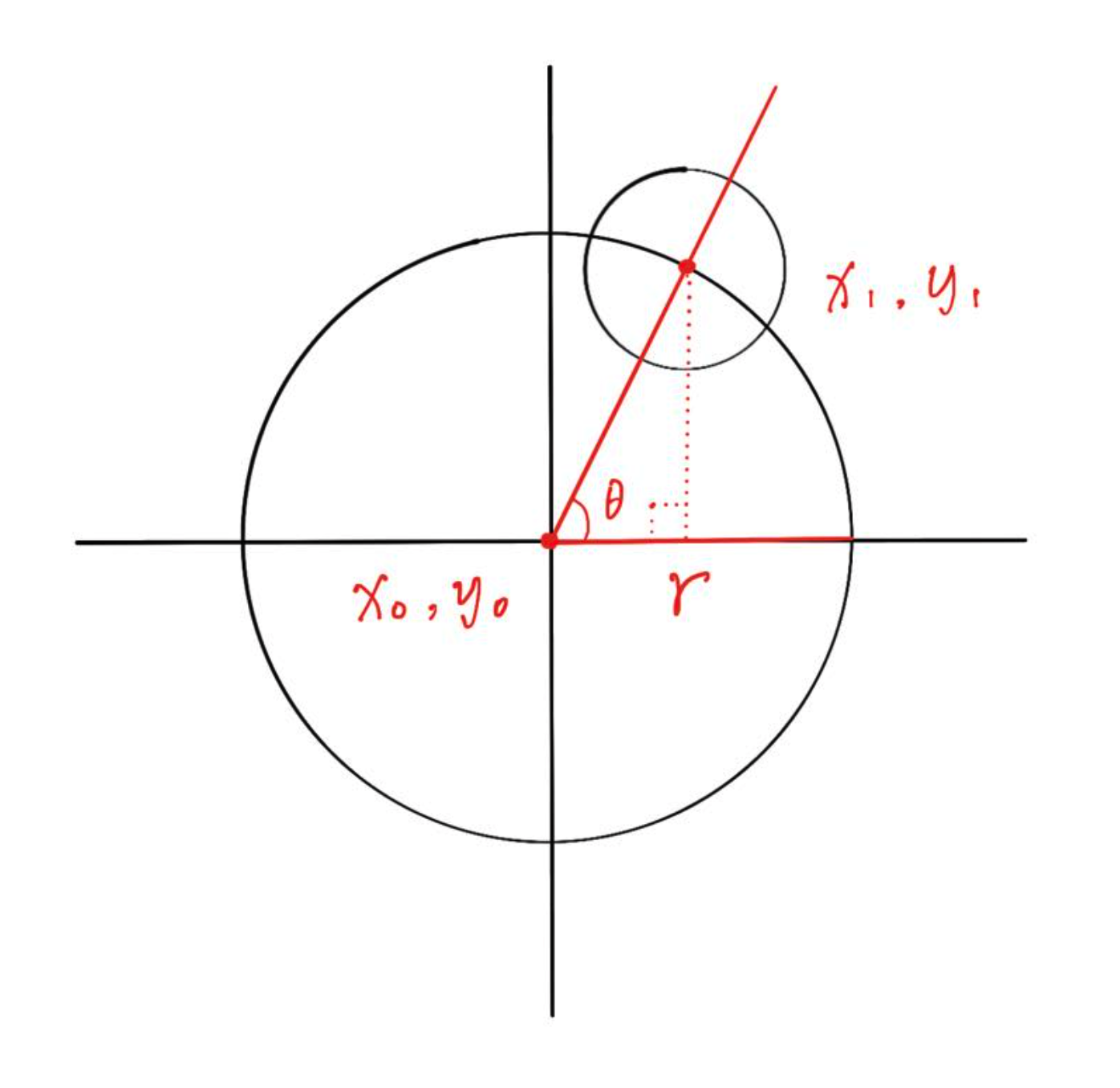
Center a’s coordinates ( (x_1, y_1) ) equal center A’s coordinates ( (x_0, y_0) ) plus the axis offsets.
Code Implementation
/// Calculate offset of center a relative to center A////// @param centerPoint Center A coordinates/// @param radius Circle A radius/// @param count Number of circles a/// @param which Circle a index/// @param initAngle Starting position/// @param direction Arrangement directionOffset _getChildCenterOffset({ Offset circleCenter, double radius, int count, int which, double firstAngle, int direction,}) { double radian = _radian(360 / count); double radianOffset = _radian(firstAngle * direction); double x = circleCenter.dx + radius * cos(radian * which + radianOffset); double y = circleCenter.dy + radius * sin(radian * which + radianOffset); return Offset(x, y);}Calculating Child Element Radius
Mathematical Derivation
To satisfy circular arrangement requirements, the maximum child element’s circumscribed circle must be bounded by the inscribed circle of a ( 90° ) sector, as shown below.
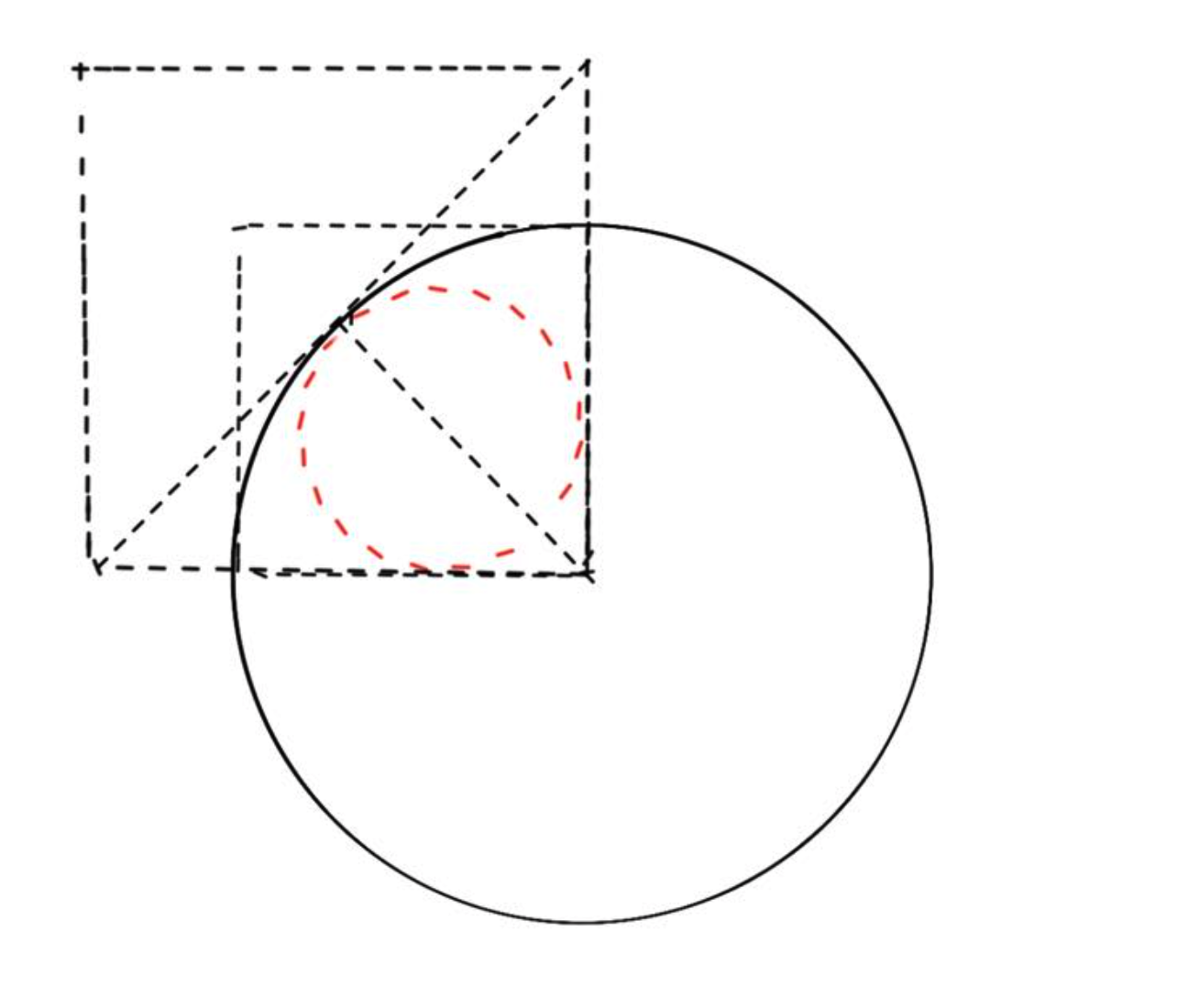
Let the sector radius be ( R ), the sector central angle be ( \alpha ), and the inscribed circle radius be ( r ).
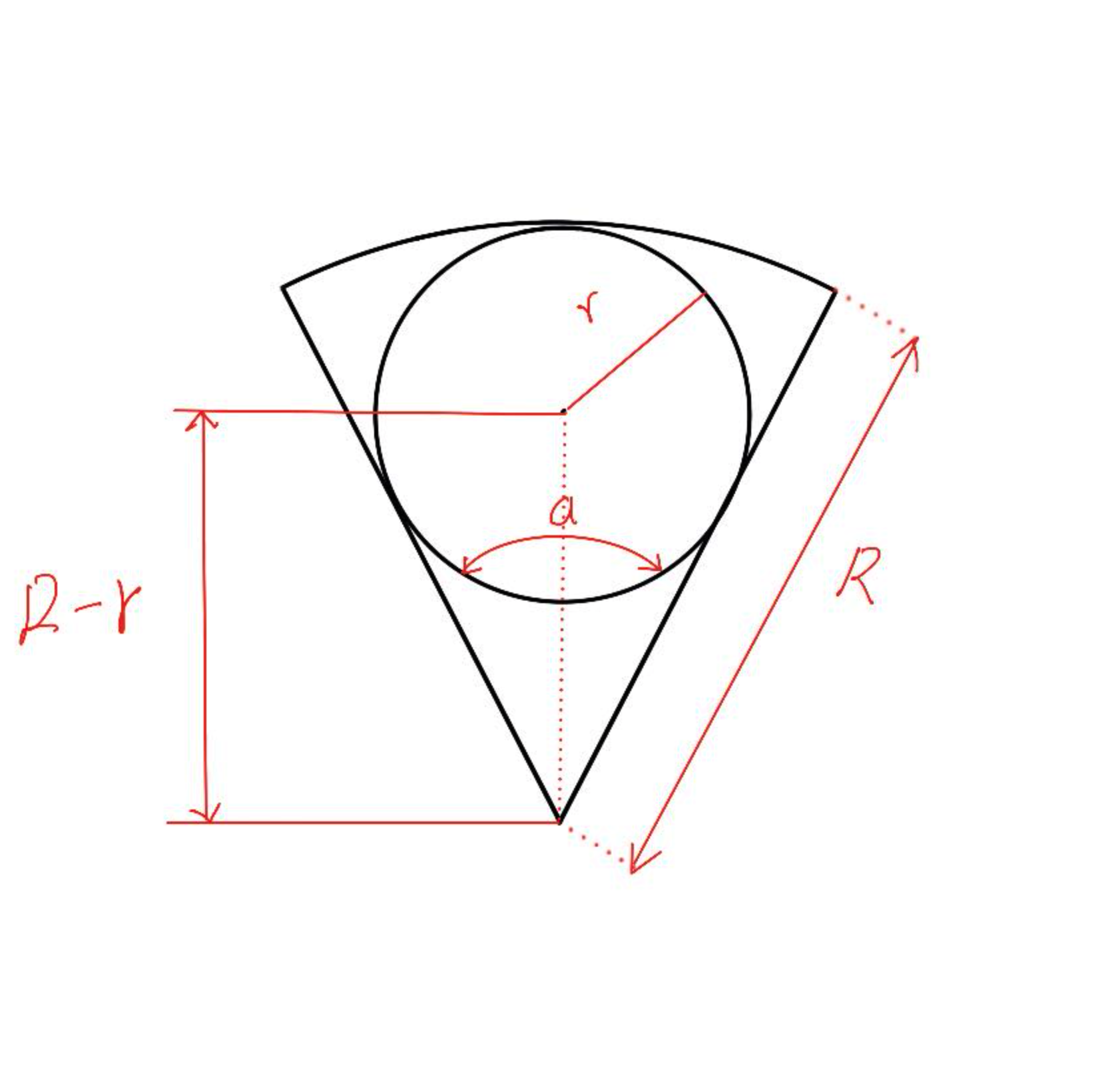
The maximum child element radius derivation:
Code Implementation
/// Calculate circle a radius////// @param radius Circle A radius/// @param angle Sector angledouble _getChildRadius(double radius, double angle) {  if (angle > 180) {    return radius;  }  return radius * sin(_radian(angle / 2)) / (1 + sin(_radian(angle / 2)));}
/// Calculate radians////// @param angle Degreesdouble _radian(double angle) { return pi / 180 * angle;}Implementation
We chose CustomMultiChildLayout for the circular layout. From the official documentation:

“CustomMultiChildLayout is appropriate when there are complex relationships between the size and positioning of multiple widgets.”
A perfect fit. Here’s the result:
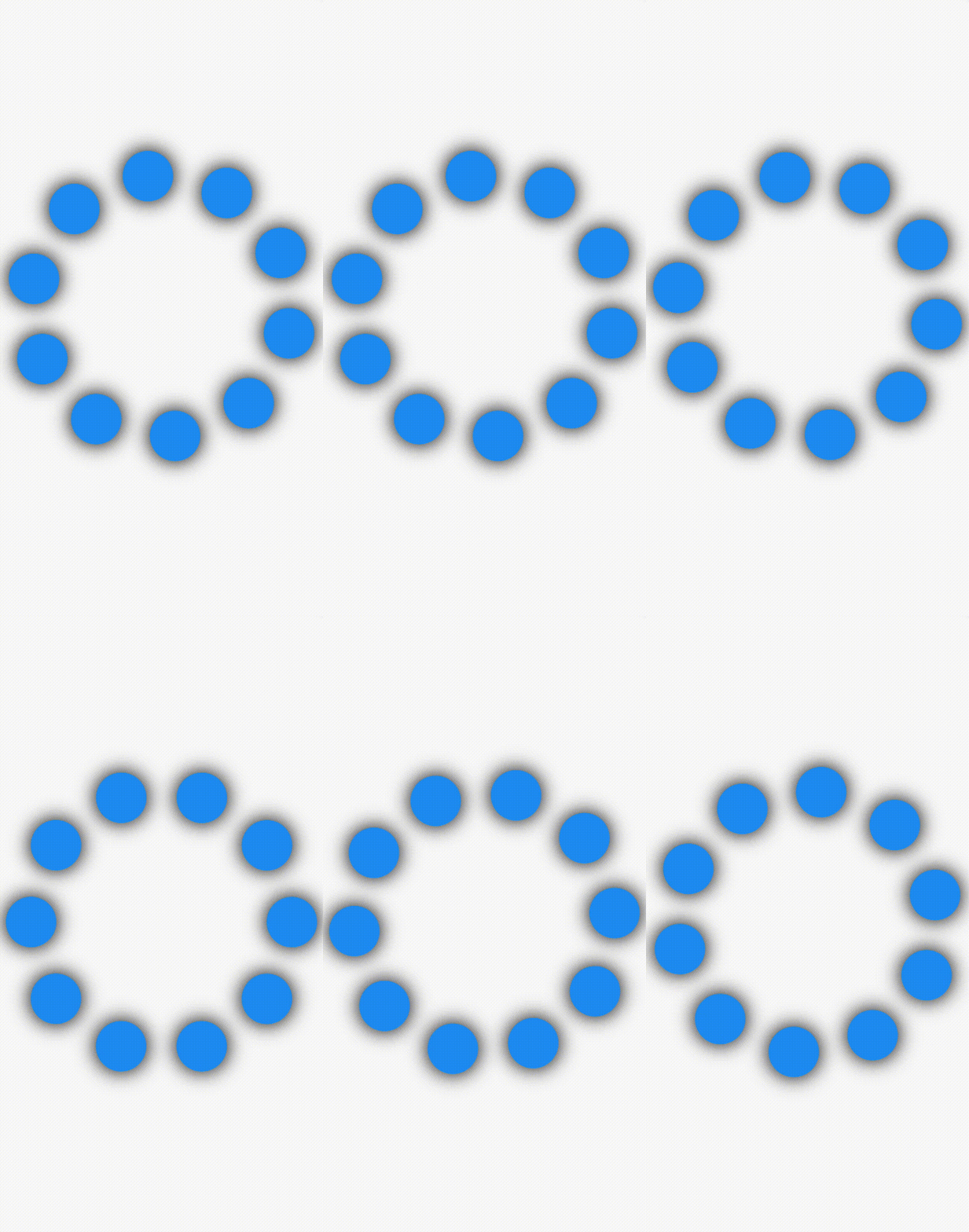
The complete code is published on pub.dev. Below is a partial excerpt of RingLayout.
ring_layout: https://pub.dev/packages/ring_layout
class RingLayout extends StatelessWidget {  final List<Widget> children;  final double initAngle;  final bool reverse;  final double radiusRatio;
  const RingLayout({    Key? key,    required this.children,    this.reverse = false,    this.radiusRatio = 1.0,    this.initAngle = 0,  })  : assert(0.0 <= radiusRatio && radiusRatio <= 1.0),        assert(0 <= initAngle && initAngle <= 360),        super(key: key);
  @override  Widget build(BuildContext context) {    return CustomMultiChildLayout(      delegate: _RingDelegate(          count: children.length,          initAngle: initAngle,          reverse: reverse,          radiusRatio: radiusRatio),      children: [        for (int i = 0; i < children.length; i++)          LayoutId(id: i, child: children[i])      ],    );  }}